AI Website Builder Maintenance: What Happens After Launch?
AI can generate a website quickly, but ecommerce teams still need ownership for content updates, product data, checkout, analytics, SEO, localization, and operational maintenance.
Read more
A practical checklist for choosing a DTC website builder by evaluating product data, SEO control, Google workflows, content operations, analytics, localization, AI visibility, and ownership.
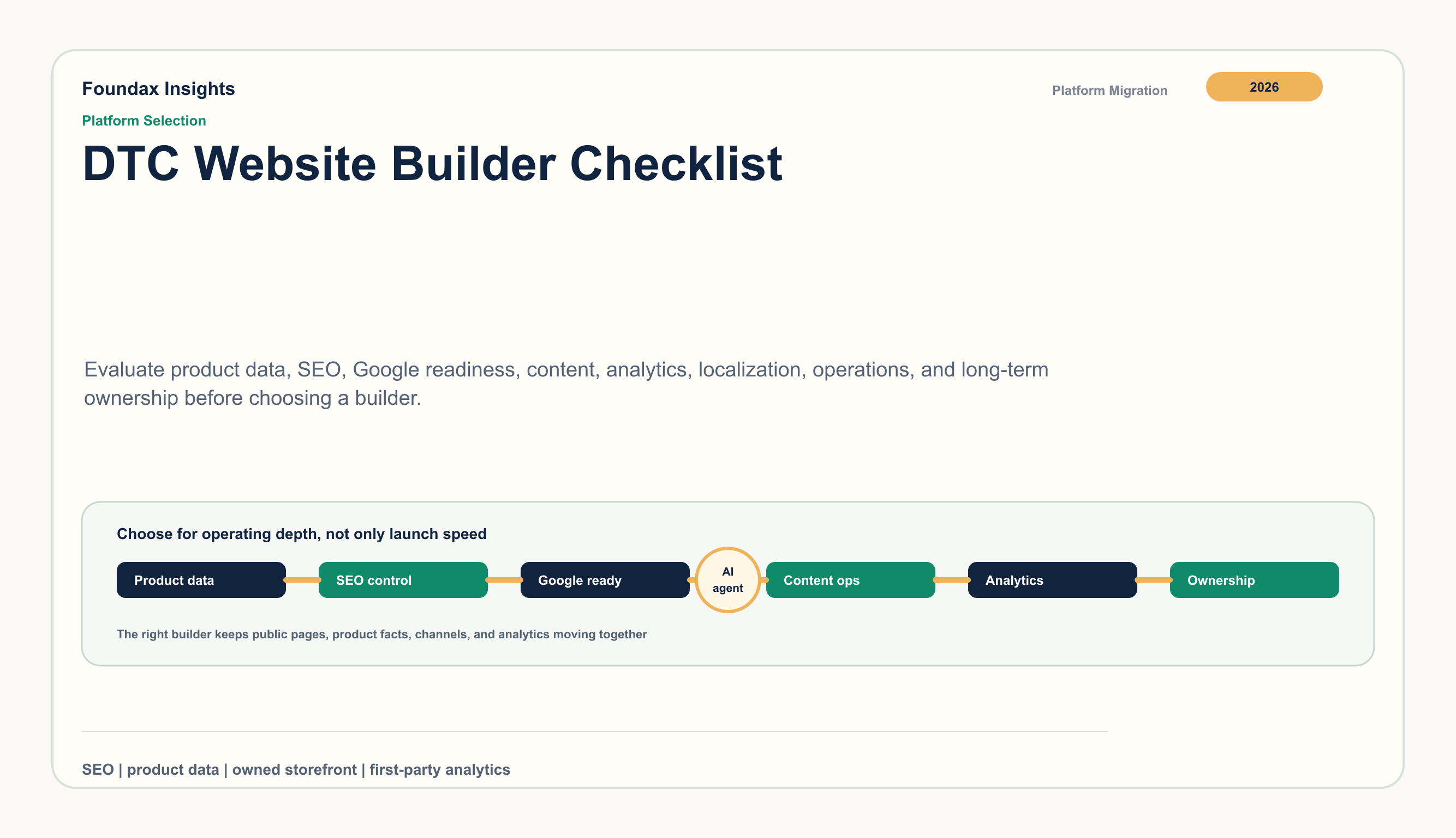
Choosing a DTC website builder is no longer only a design decision. Templates, drag-and-drop editing, and launch speed still matter, but the deeper question is whether the platform can support product facts, SEO, content, Google workflows, analytics, localization, and operational updates after the first version is live.
Agentic commerce and AI shopping are making that question more important. Google and Shopify now describe shopping journeys where agents and AI systems depend on product data, merchant information, and structured facts. OpenAI's shopping help also points to product metadata and merchant integrations as part of the discovery context. A DTC storefront needs to be readable by buyers and by the systems that help buyers compare products.
Before choosing a builder, ask how the team will update the store after launch. The best-looking first version can become expensive if every SEO change, product attribute update, content page, feed fix, or locale change needs a workaround.
Use these nine questions during evaluation:
| Area | Buyer question | Operational risk if weak |
|---|---|---|
| Product data | Can product facts stay structured? | inconsistent PDPs, feeds, and analytics |
| SEO control | Can pages be discovered and managed? | thin metadata, weak crawl control |
| Google workflows | Can product data reach Google cleanly? | item warnings, feed drift |
| Content operations | Can education content support commerce? | SEO work scattered from products |
| Analytics | Can the team see what happens? | decisions based on ad dashboards only |
| Localization | Can markets diverge safely? | translated pages with wrong prices or policies |
| Policy workflow | Can promises stay accurate? | support friction and buyer distrust |
| AI visibility | Can product facts support AI-mediated discovery? | attributes and metadata become a bottleneck |
| Ownership | Can the team improve without waiting? | slow iteration and hidden maintenance cost |
A DTC builder should treat product data as an operating asset. Product pages are only one output. The same product facts also need to power Product JSON-LD, Merchant Center data, collection filters, variant selection, recommendations, content links, and analytics.
Ask whether the platform can manage:
If product facts live in separate spreadsheets, plugin settings, and page copy, the store will become harder to operate as the catalog grows.
A builder needs more than a meta-title field. DTC teams need control over titles, descriptions, canonical paths, indexability, sitemap inclusion, robots behavior, Open Graph images, internal links, and content publishing.
Google Product structured data supports richer product experiences when product facts are valid and aligned. That means SEO is not a thin marketing layer; it depends on the same product data used by the storefront and merchant feed.
Useful evaluation questions:
A CSV export or feed plugin is not the same as channel data alignment. Google Merchant Center product data specification, landing page expectations, and AI-powered shopping insights all point in the same direction: product attributes, price, availability, URL, images, and policy context need to stay aligned.
Before choosing a builder, check whether it can:
Teams should catch product-data gaps before a feed or API sync exposes them.
DTC SEO depends on more than PDPs. Buying guides, comparison pages, care guides, ingredient explainers, launch stories, and policy explainers help buyers understand why a product fits their need.
A useful builder connects content and commerce:
If content operations live far away from product operations, SEO execution becomes slow and inconsistent.
DTC teams need to know more than pageviews. A builder should help teams see how buyers move from landing pages to product views, add-to-cart, checkout, purchase, support, returns, and repeat visits.
Look for first-party analytics that can answer:
GA4 remains useful for supplemental diagnosis, but the team should not need to reconstruct every operating question outside the builder.
A DTC builder should help teams localize market facts. Language is one layer; price, currency, product attributes, shipping, returns, policies, SEO metadata, hreflang, and analytics segmentation are just as important.
For multi-market teams, ask:
Localization should be manageable after launch, not only during the initial translation project.
Shipping, tax or duty treatment, returns, privacy, warranty, and support information shape trust before checkout. A builder should make those public promises easy to keep current.
Ask whether policy pages, product notes, checkout copy, and post-purchase messages can stay aligned. Buyers should not see one promise on a PDP and another in the return policy.
Google, Shopify, and OpenAI all describe commerce experiences where product and merchant data help AI systems support shopping discovery. That does not make AI traffic automatic. It does make structured, accurate, reusable product data more valuable.
A DTC builder should help teams maintain:
The platform choice should reduce the number of places where the team must update the same fact. A durable DTC builder lets operators improve public pages, product data, SEO, content, localization, and analytics without waiting for every change to become a development project.
A simple evaluation test: choose one product and simulate a real change. Update the price, image, SEO title, product attribute, localized description, policy note, and content link. Then check how many systems had to be touched and whether the public page, structured data, merchant data, and analytics still agree.
Foundax is designed around connected DTC operations: product records, site SEO metadata, sitemap and robots behavior, PDP Product JSON-LD, strict Google Merchant Center preflight and sync, Search Console verification and sitemap submission, Content Studio, multilingual publishing, first-party analytics, and GA4 supplemental diagnostics.
That makes it useful for teams that want the builder decision to support more than launch speed. Product facts, public pages, content, Google workflows, localization, and measurement can move through one workflow.
Look beyond templates. Evaluate product data structure, SEO control, Product JSON-LD, Google workflows, content operations, analytics, localization, policy workflows, and post-launch ownership.
Monthly price is only one part of cost. Teams should also consider plugin dependency, manual feed work, SEO limitations, analytics gaps, localization effort, and the cost of keeping product facts consistent.
Product data powers PDPs, structured data, Merchant Center, filters, search, content links, recommendations, and analytics. Weak product data creates work in every downstream system.
It should help teams keep product attributes, identifiers, images, price, availability, policy context, structured pages, and content answers consistent and reusable across channels.
Foundax focuses on the operating layer behind the storefront: product facts, SEO metadata, Product JSON-LD, Google workflows, content publishing, multilingual operations, and first-party analytics in one workflow.