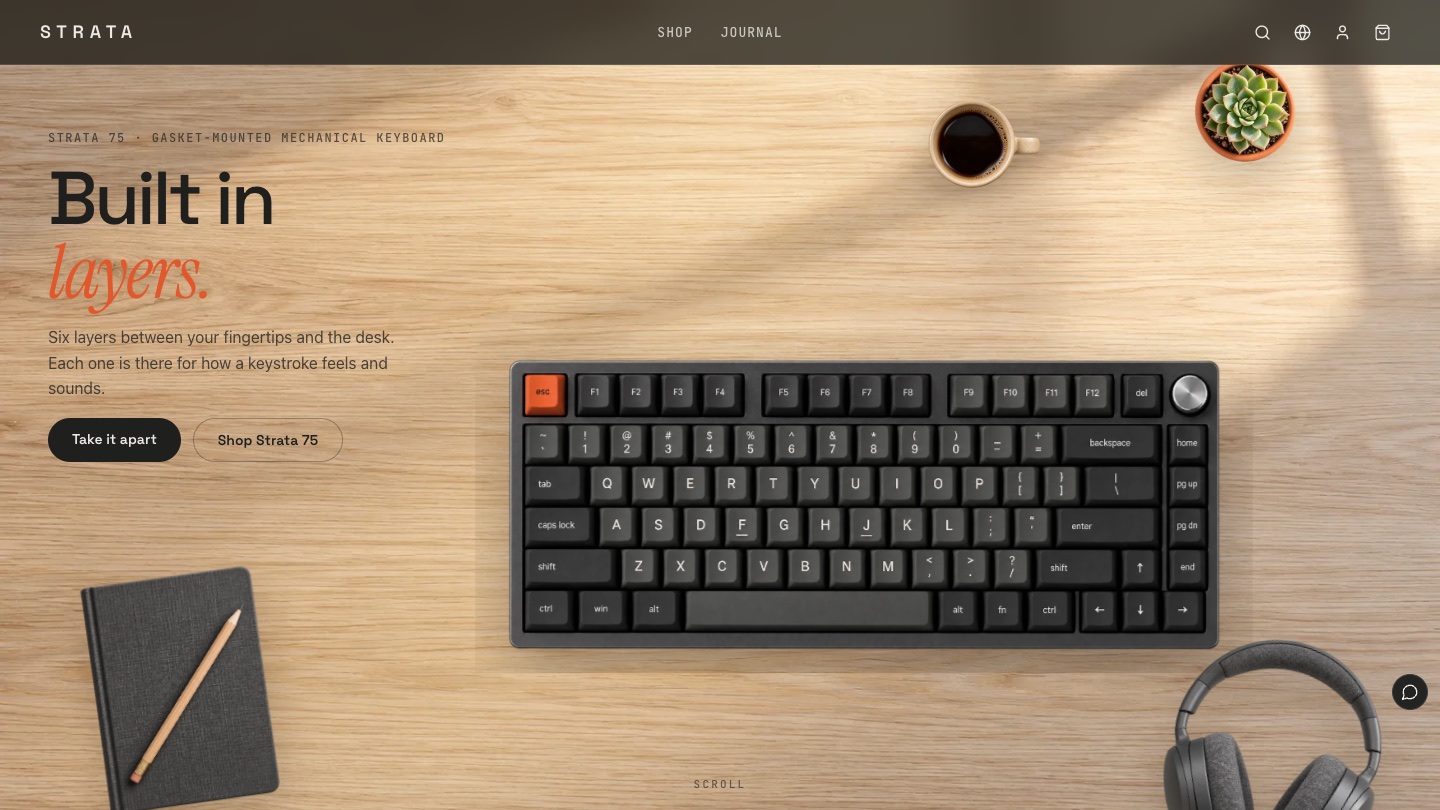
The hardest thing to sell on a mechanical keyboard website is feel. Switches, plate, dampening and keycap material decide how a keyboard types, and most of them sit under the keycaps. However complete the spec table, visitors struggle to turn "gasket mount" or "3.5 mm Poron" into a sensation in their fingers.
This breakdown looks at STRATA from the Foundax case library, a fictional mechanical keyboard brand built on the idea that every layer exists for feel. Unlike most brand sites that tell their story with photos, STRATA runs one 3D keyboard model, written in CSS, through the whole website. Visitors can take it apart, recolour it and type on it.
Why keyboard websites are hard
- Feel is invisible. The structure that shapes feel sits under the keycaps, and photos only show the outside.
- Specs are a barrier. Actuation force, travel and switch types are just numbers to newcomers.
- Sound sells, but is hard to show. Switches sound very different, and words barely describe it.
- Many colourways, costly images. Every colour and angle needs its own shoot, which adds image weight.
The design goal for STRATA: let visitors "touch" the keyboard on a web page. They see inside it, hear the keys and type a few words themselves.
The idea: built in layers, for feel
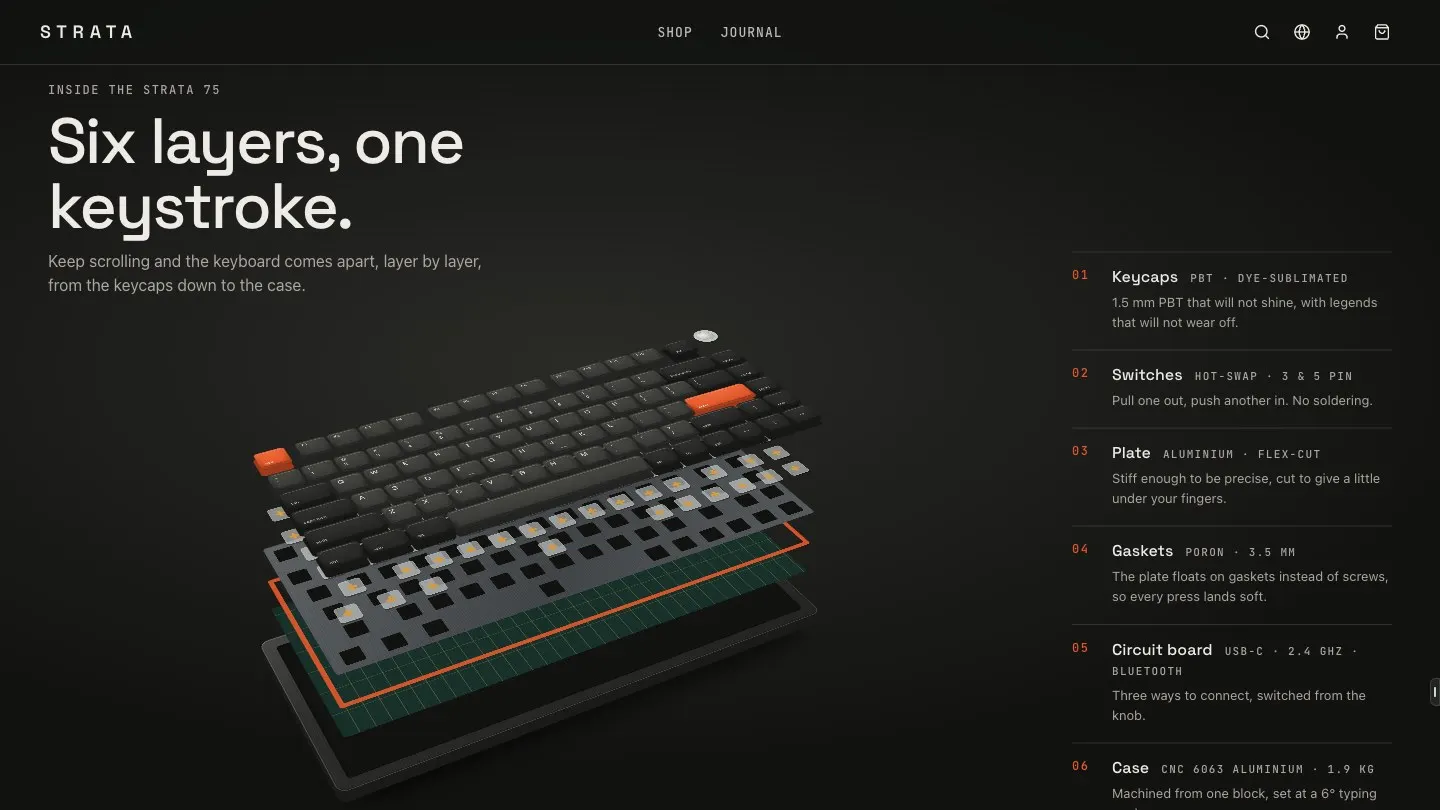
The keyboard is six layers stacked like rock strata: case, circuit board, dampening, plate, switches and keycaps. The brand name STRATA and three colourways named after stone (Basalt, Sandstone and Lichen) all come from that idea.
The key decision was to build a real keyboard model in CSS 3D instead of using images. The layers always line up, colours switch instantly, and the model adds no image weight. Photos handle mood and texture. The model handles the product's structure.
Visual language: a dark workbench and a touch of signal orange
The site is mostly dark, like a workbench lit by one lamp at night. Each colourway takes over the screen for a while in the colourway section. Signal orange appears only on the Escape key, the dampening layer and key numbers.
- Ink
#1F201EMain background, the dark workbench - Paper
#EDEAE4Light sections such as the switch comparison - Signal orange
#E2572BOnly for the Escape key, dampening layer and key numbers - Basalt
#2A2B29Dark grey case colourway - Sandstone
#CFC2ACWarm beige case colourway - Lichen
#7E8A72Grey-green case colourway
| Use | Typeface | Why |
|---|---|---|
| Headings | Space Grotesk | A tightly spaced geometric sans with the precision of an industrial product |
| Accent words | Instrument Serif italic | At most one word per heading, such as "Built in layers", adding warmth to a technical page |
| Specs | JetBrains Mono | Travel, force, layer numbers and prices in monospace are easy to compare |
Five signature moments
Scan
A photo becomes a model
A band of light sweeps across the keyboard and, wherever it passes, the photo becomes a 3D model, which then lifts and tilts to an isometric view.
Explode
Six layers come apart
The model separates into six layers, each with a line of explanation and a spec. Scroll back and the layers close up again.
Feel
Three ways to press
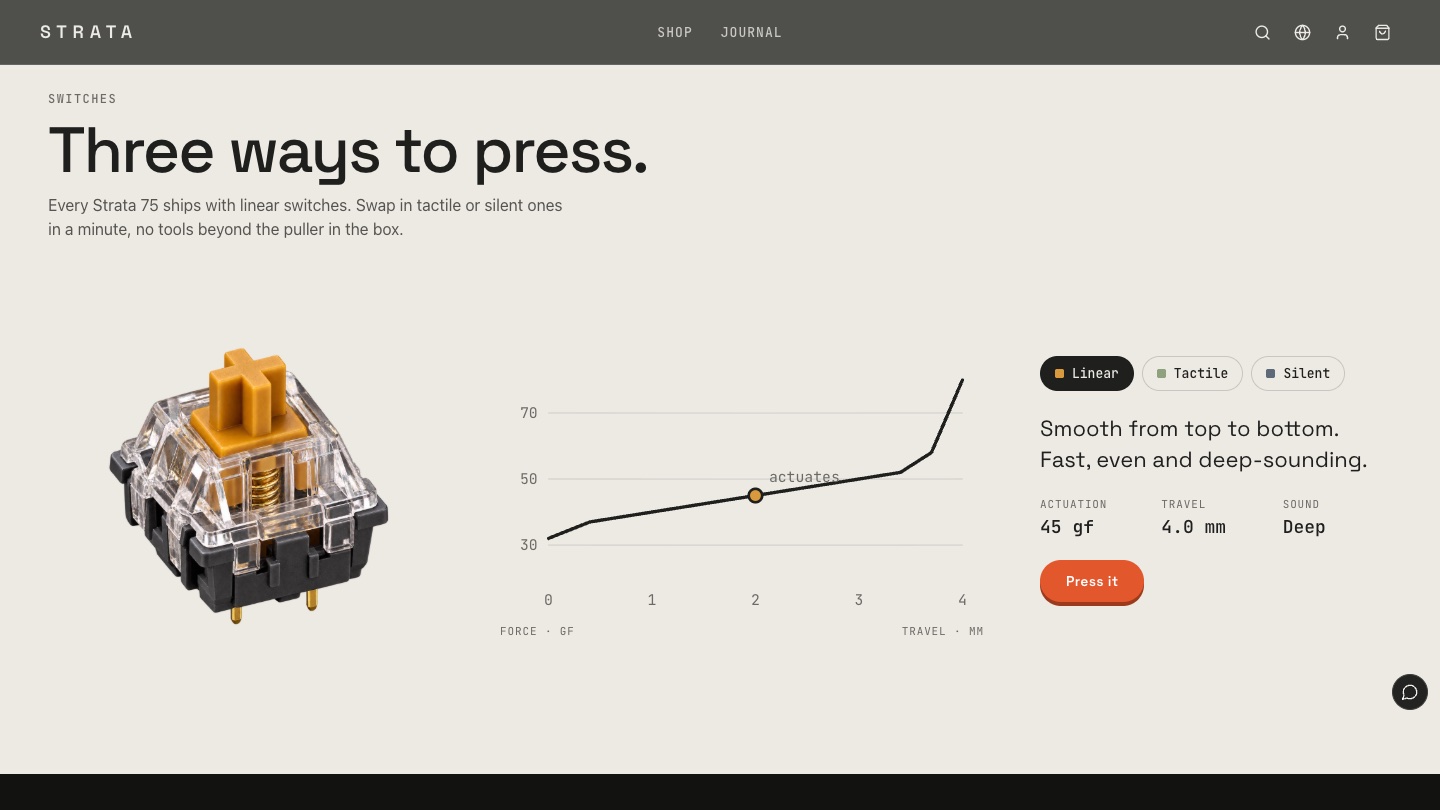
Switching between linear, tactile and silent switches changes the stem colour, the force curve and the sound. The sound is synthesised in the browser, with no audio files.
Type
Go on, type something
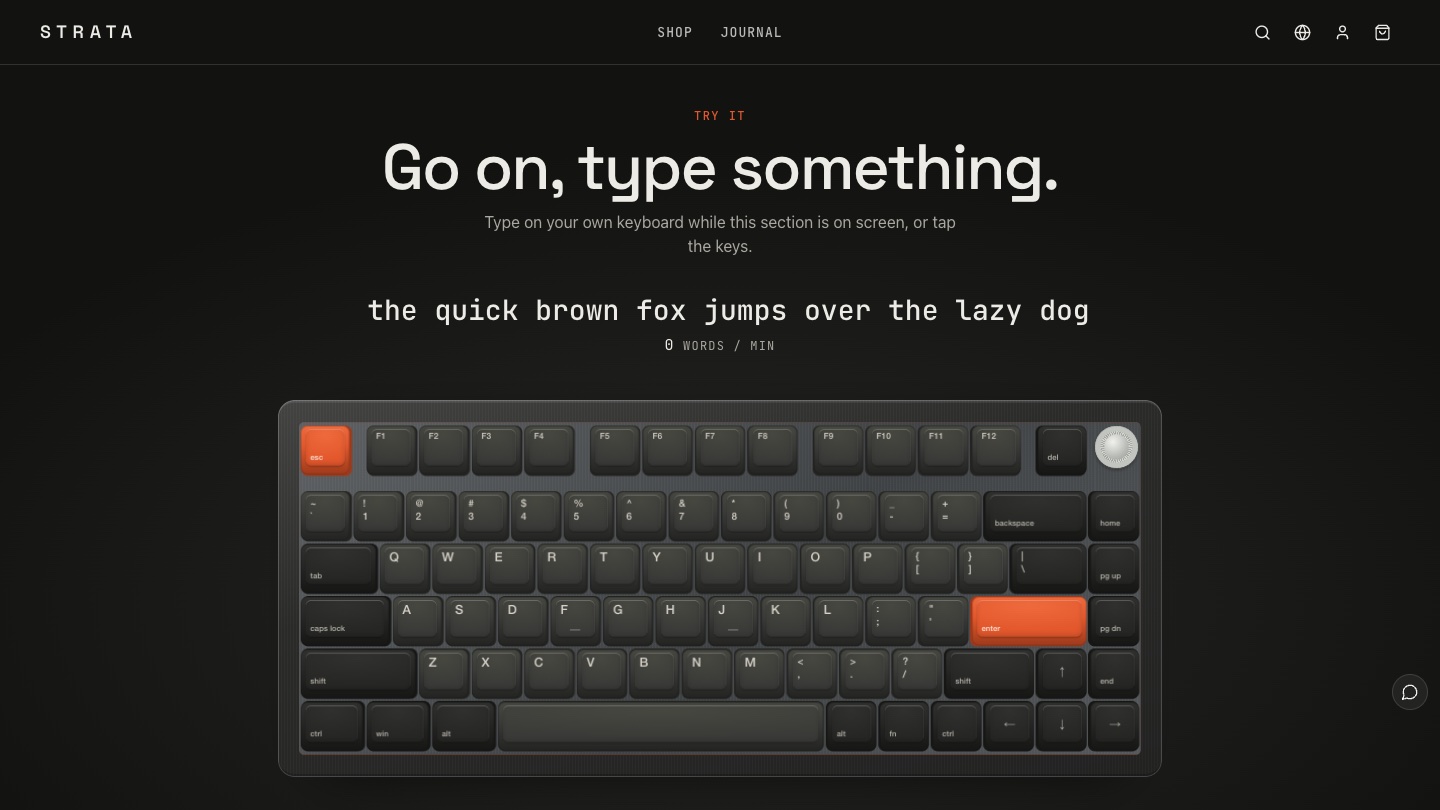
Visitors type on their own keyboard and the matching keys on screen press down with the chosen switch sound. On phones, they tap the keys.
Recolour
Three kinds of stone
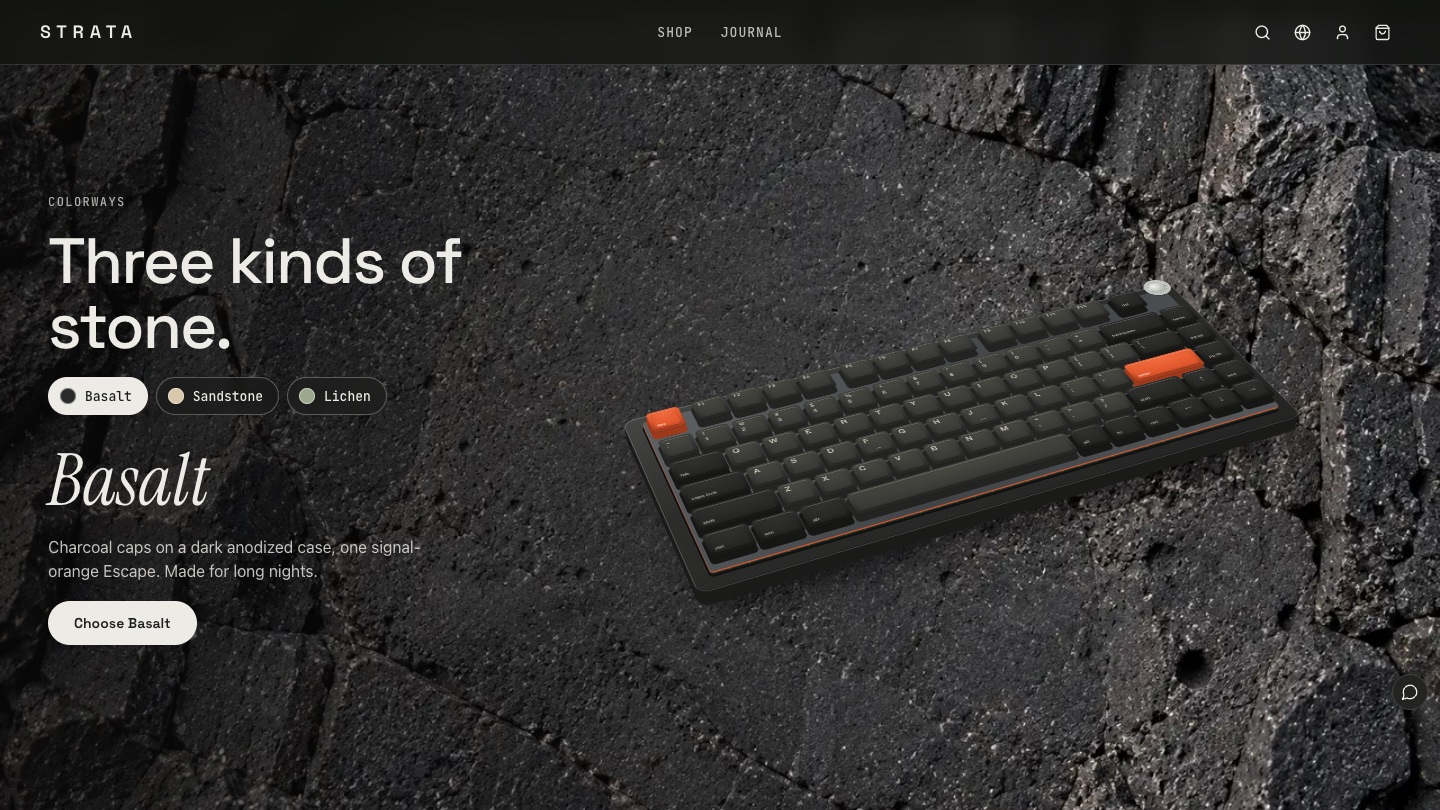
The background moves between three stone macros while the model takes on the new colourway, then leads to the product page with that colour selected.
The six-act storyboard
01
Opening: Built in layers
An overhead oak desk holds the keyboard, a cup, a notebook and headphones. The everyday objects double as a size reference, so visitors can judge the 75% keyboard at a glance.
02
Scan: From photo to model
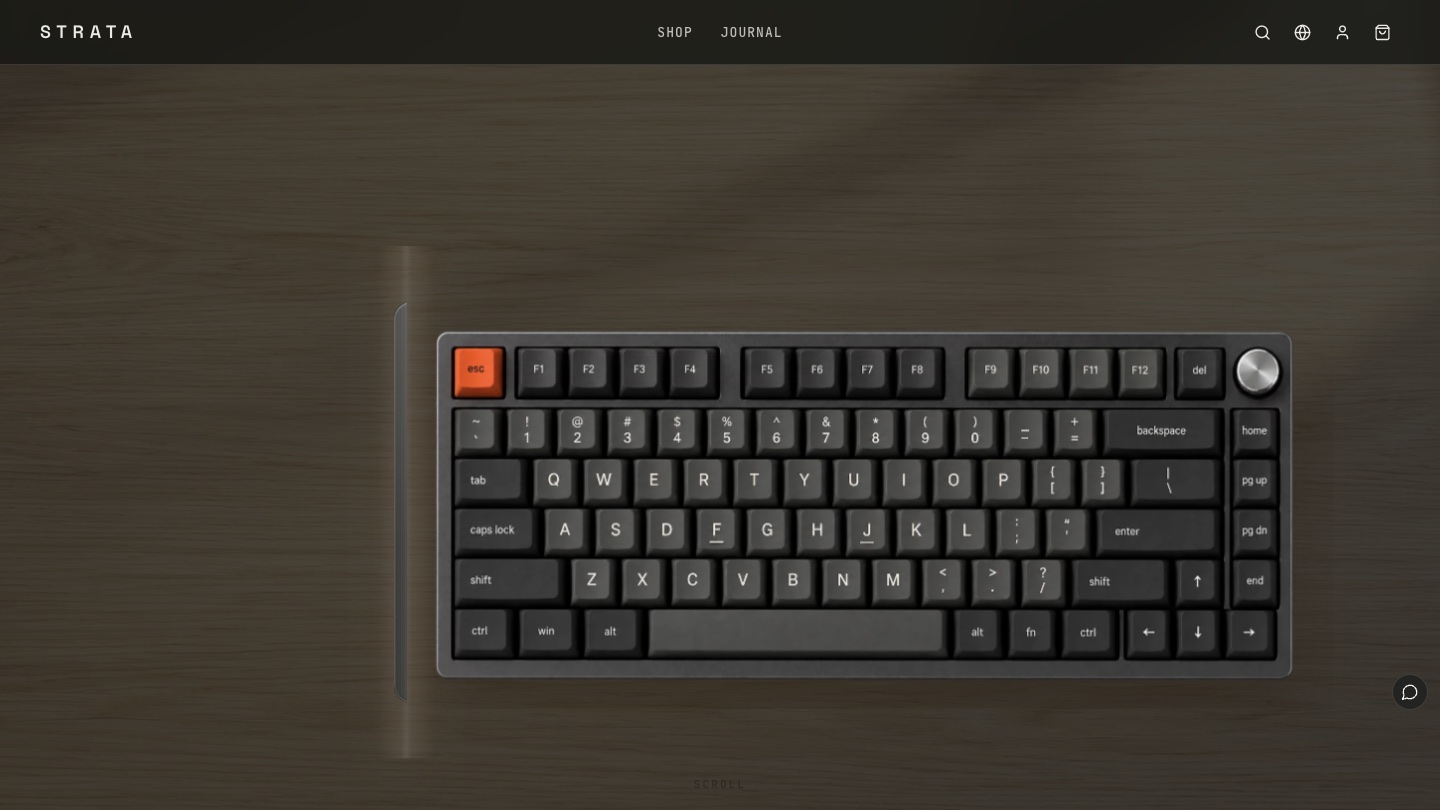
The desk fades until only the keyboard remains. After the band of light passes, the photo becomes a 3D model that can tilt and come apart, where seeing inside begins.
03
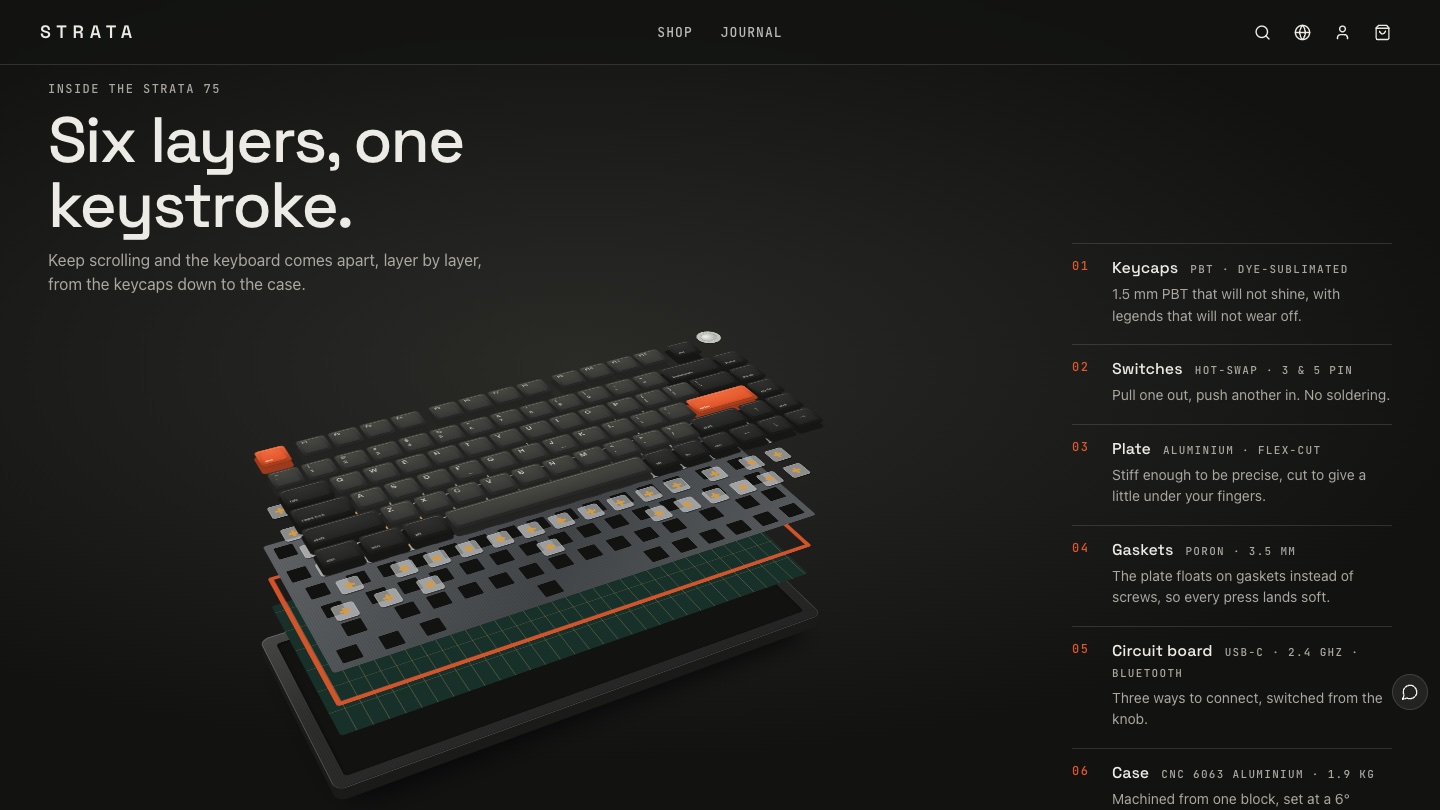
Anatomy: Six layers, one keystroke
The layers separate one by one: 1.5 mm PBT keycaps, 3- and 5-pin hot-swap sockets, a flex-cut aluminium plate, 3.5 mm Poron gaskets, a tri-mode circuit board and a CNC aluminium case, each with one line of explanation.
04
Feel: Three ways to press
In a light section, a large switch sits beside a force and travel curve. Changing the switch redraws the curve, and "Press it" plays its sound.
05
Type: Go on, type something
A full-width top-down model presses and clicks as visitors type, with their words and speed shown above. This is where people stay longest and start to want the keyboard.
06
Colourways: Three kinds of stone
Each colourway gets a stone macro background and the model changes colour live. The "Choose" button opens the product page with that colourway already selected.
Performance and accessibility: a model is lighter than photos
Because the keyboard is drawn in code, recolouring, exploding and typing need no extra images, which keeps the first screen light. With reduced motion turned on, the opening keeps a still desk composition and the anatomy section shows the separated layers in their final state, with every note and buy button available. That follows W3C WCAG 2.2 guidance that motion should be possible to turn off.
The cup, notebook and headphones on the desk are not just decoration either. Baymard Institute found that 42% of users try to judge a product's overall size from its images, and familiar objects make a ready-made ruler.
From experience to order
In Foundax, colourways are real product variants. The keyboard, keycap set and desk mat come in Basalt, Sandstone and Lichen, and the switch pack in linear, tactile and silent. The colourway button opens the product page with that colour selected, followed by the native cart, checkout and orders. To see how products and variants work, visit Foundax features.
A checklist you can reuse
- When a product's value is hidden inside it, show the inside with a teardown, a cross-section or layers.
- If the product's structure can be drawn in code, do that instead of stitching photos together: alignment is exact, recolouring is instant and pages load faster.
- Let visitors try what is hard to describe, such as sound and feel.
- Let the props on the first screen double as a size reference.
- Pair every spec with plain words: "1.5 mm PBT that will not shine" says more than a number.
- Carry the choices visitors make, such as a colourway, into the product page so they never choose twice.
FAQ
Will a 3D model slow the website down?
STRATA's model is written in CSS 3D, so it needs no 3D engine or model files, and recolouring or exploding it needs no extra images. That is lighter than preparing photos for every colourway and angle.
Does it work on phones?
Yes. On phones, the anatomy notes appear below the model one after another, typing works by tapping the keys on screen, and the magnifier opens with a tap.
Is STRATA a real brand?
No. STRATA is a fictional brand created by the Foundax team. Shopping and orders in the case are a demo. Nothing is charged or shipped.
Can I start my own website from this design?
Yes. On the STRATA case page, choose "Start with this template". After signing up, a website is created from this case, ready for your own products and brand content. For design methods across industries, see the brand website design guide.