Cookie and bakery websites often stop at tempting food photos and a product list. The photos look delicious, but shoppers still have decisions to make: which flavour, how big a box, and who it is for. If the site does not help, visitors hesitate between rows of similar products and leave without buying.
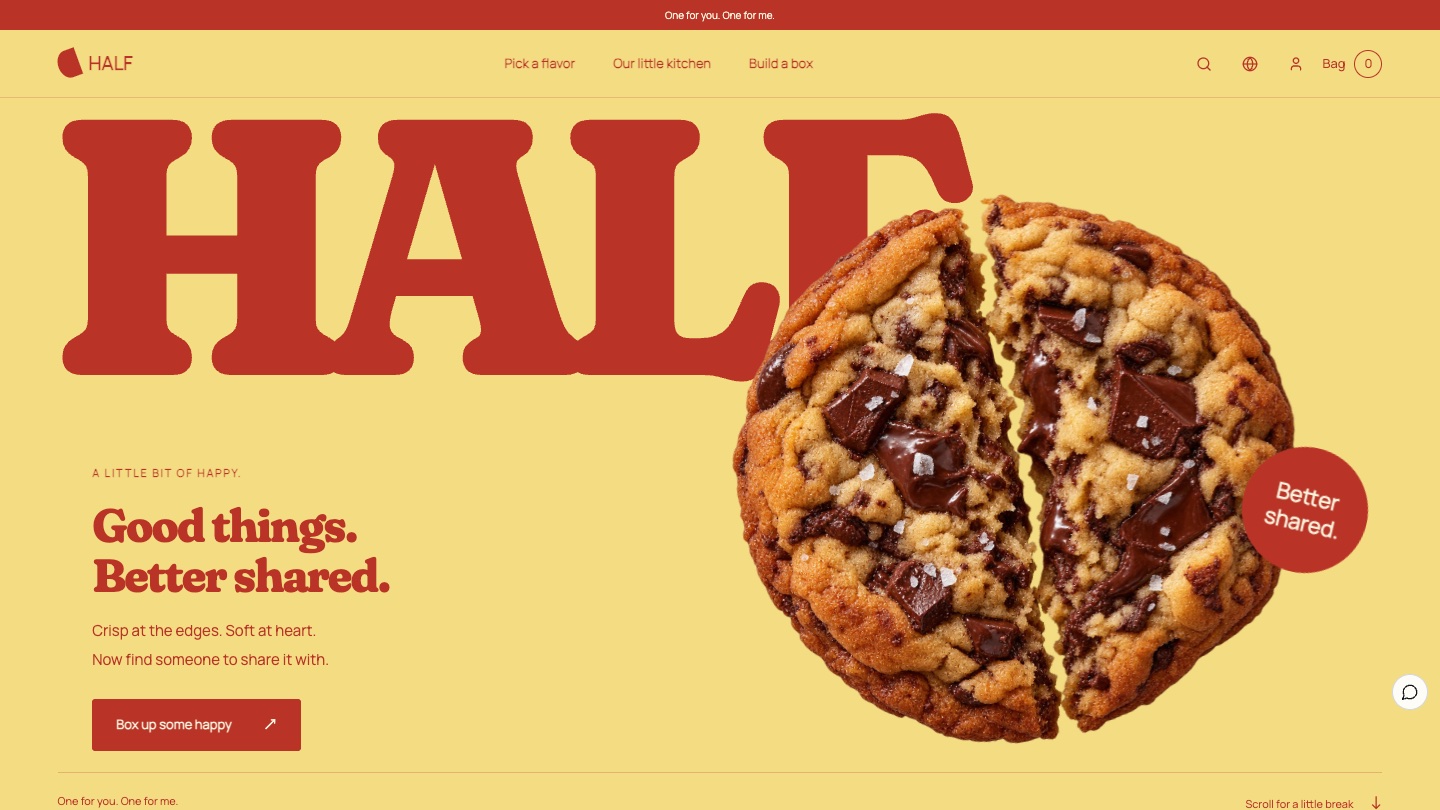
This breakdown looks at HALF from the Foundax case library, a fictional cookie and gift box brand built on the idea "Good things. Better shared." Its approach is to open with a cookie breaking in two, make sharing the thread of the whole website, and help visitors choose a mix and box size with a box builder.
Why bakery websites are hard
- The photos all look alike. Every bakery has cookie close-ups, so photos alone are hard to remember.
- There are too many combinations. Flavours, mixes and box sizes quickly turn into a long product list.
- Gifting is vague. Who a box suits and for what occasion usually hides in the product description.
- Food information must be accurate. Ingredients and allergens should never be hidden by the design.
So the design goal for HALF is: create a memorable brand gesture that makes people smile, then turn choosing a flavour, mix and size into a simple box-building process.
The idea: half for you, half for me
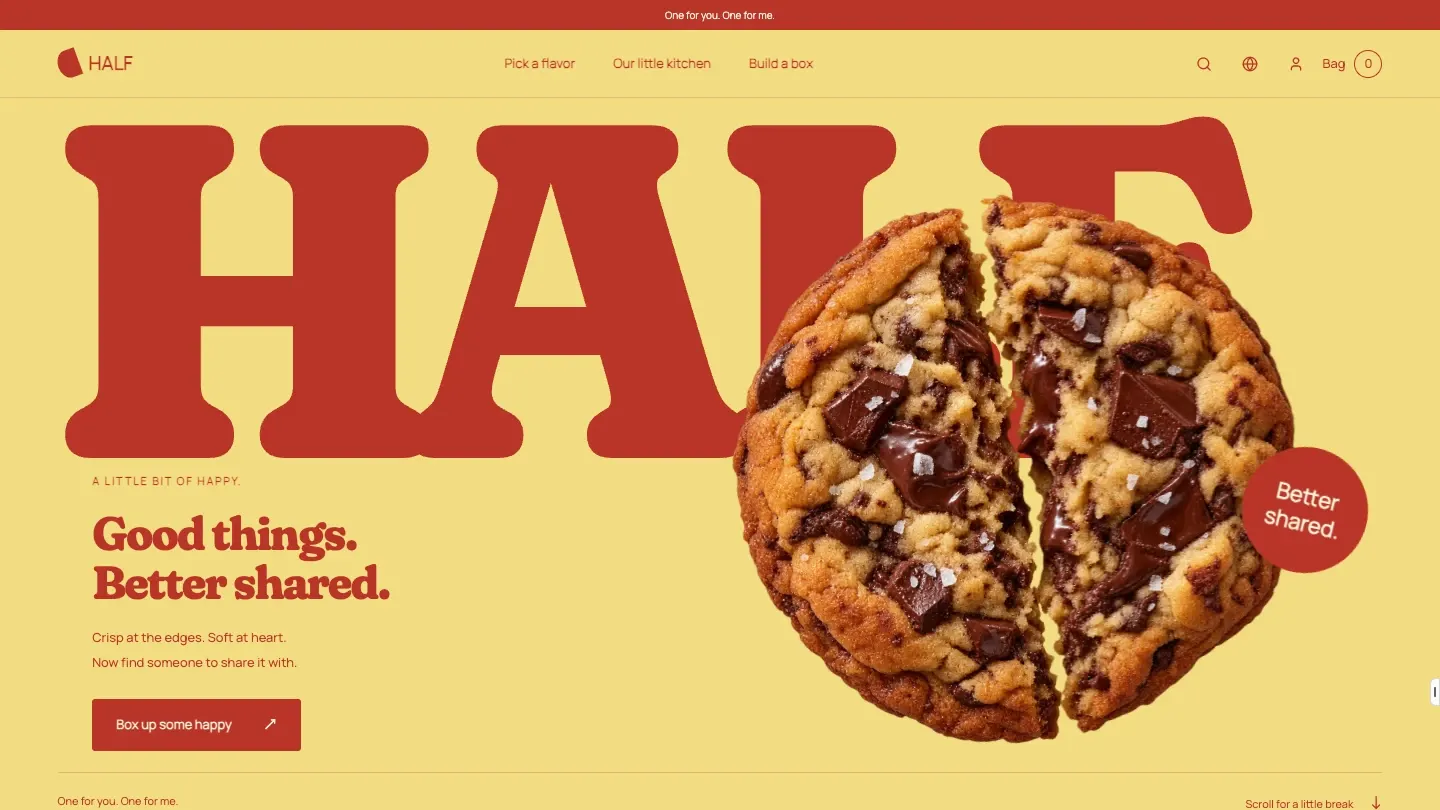
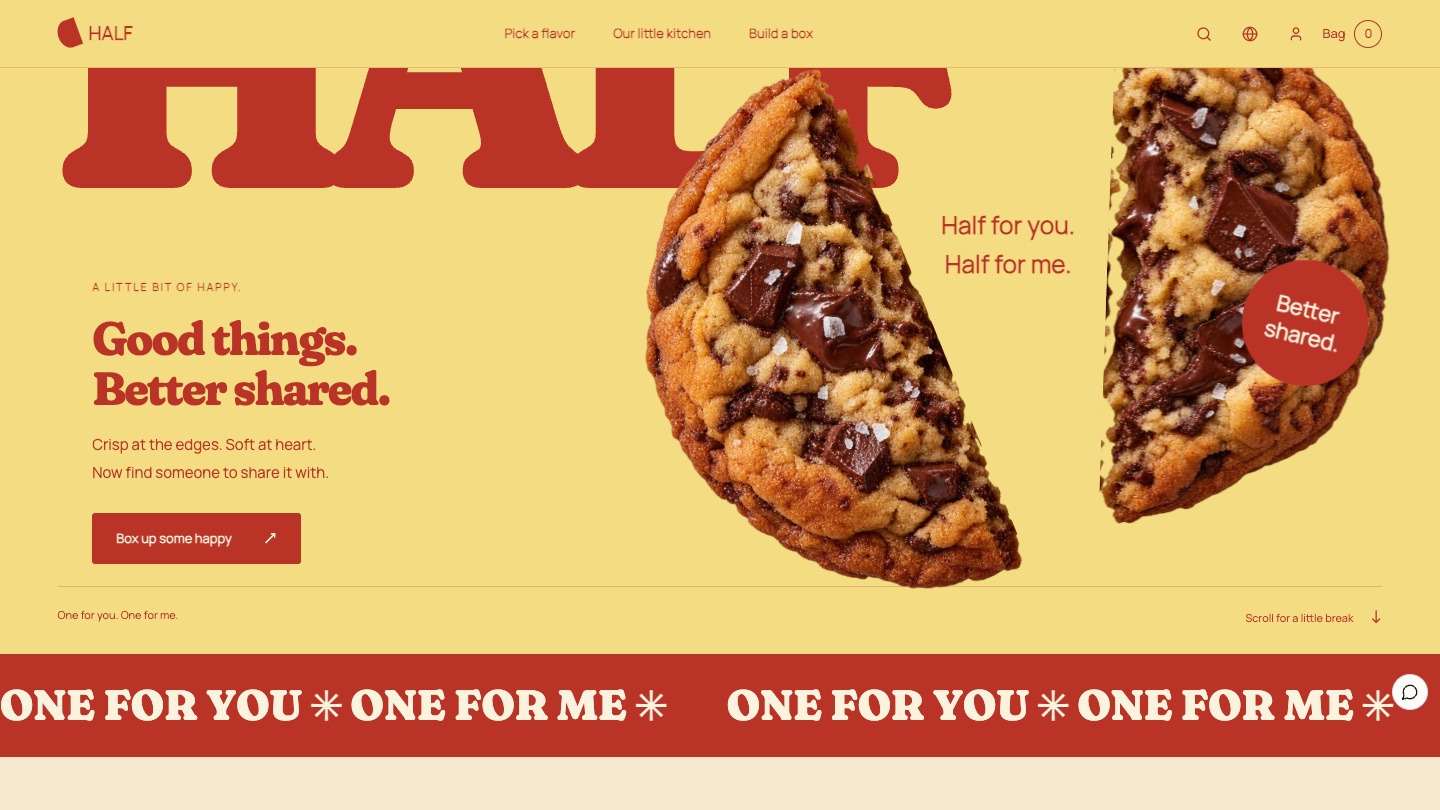
The brand name and the first-screen gesture are the same thing. As visitors scroll, one cookie splits down the middle and the two halves move apart beside the line "Half for you. Half for me." Every chapter after that is about sharing: pick a favourite, bake it with care, save half for someone, and box some up to bring when you meet.
Visual language: tomato red type and butter yellow
HALF's visuals are direct: an oversized tomato red wordmark, a butter yellow background and cookie close-ups, with pistachio green and cocoa brown marking different chapters. A scrolling ticker, "ONE FOR YOU ✳ ONE FOR ME", adds a playful touch.
- Butter yellow
#F3DC82Background for the opening and closing - Tomato red
#B93427Oversized wordmark, buttons and the sharing chapter - Pistachio green
#C4D39BBackground for the box builder - Cocoa brown
#38251FKitchen chapter background and body text - Cream
#FBF3DDFlavour chapter and reading areas
| Use | Typeface | Why |
|---|---|---|
| English display | Fraunces | A round, characterful serif that feels as warm as home baking at large sizes |
| Small text and interface | Manrope | A clear sans that keeps prices and options easy to read |
| Chinese | PingFang, Microsoft YaHei | Fast-loading system fonts that pair cleanly with the display type |
Four signature moments
Split
Good things, better shared
As visitors scroll, the cookie on the first screen breaks down the middle and the halves move apart, so the brand idea needs no explanation.
Flavours
What feels like today?
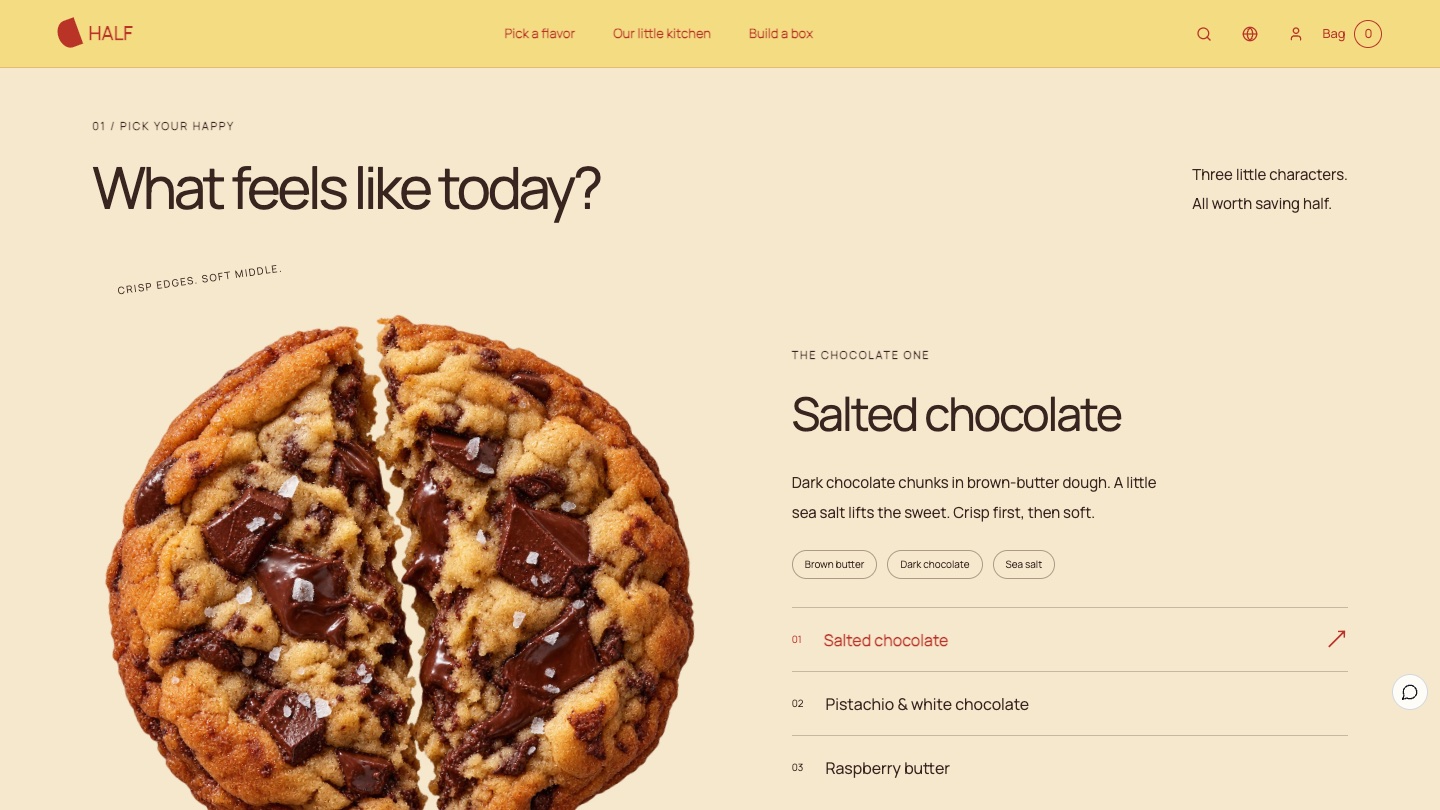
Salted chocolate, pistachio and white chocolate, and raspberry butter. Switching flavours changes the image, background colour and description together.
Sharing
Save half for someone
Your three o'clock self, a new friend at the next desk, the one who always says "just a bite": real people instead of abstract gifting.
Box
Happy, all packed up
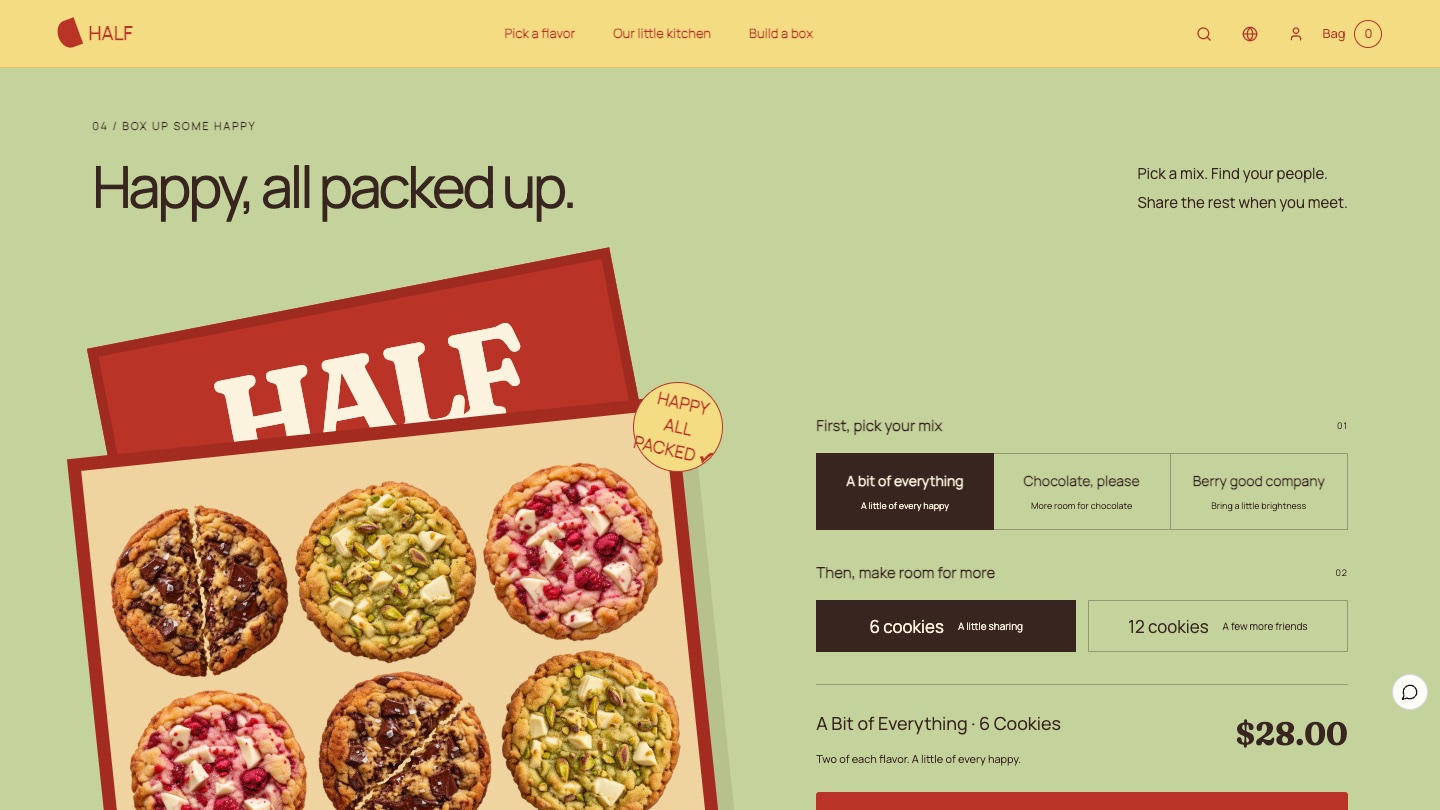
Pick a mix, then choose 6 or 12 cookies, and the box preview, contents and price update together.
The six-act storyboard
01
Opening: Good things, better shared
A whole chocolate cookie sits behind the oversized tomato red HALF wordmark, with the brand line and a "Box up some happy" button at the lower left.
02
Split: Half for you, half for me
As visitors scroll, the cookie breaks in two, the halves separate and the red ticker starts to move, making the name instantly clear.
03
Flavours: What feels like today?
Switching between three flavours changes the large cookie image, background and description, with ingredients and allergens right below.
04
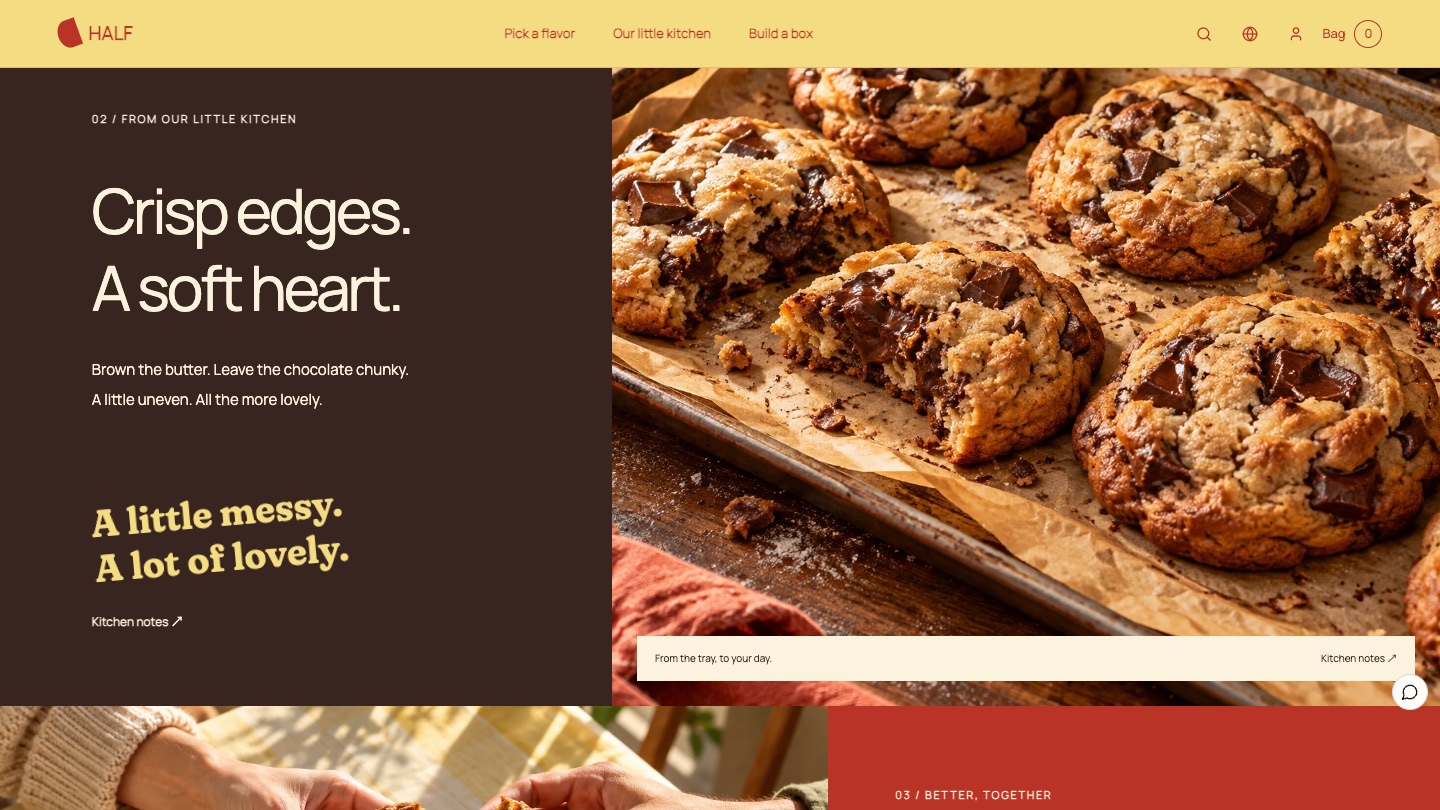
Kitchen: Crisp edges, a soft heart
A baking tray photo on cocoa brown talks about browned butter and chunky chocolate, and "A little messy. A lot of lovely." makes the brand approachable.
05
Box: Happy, all packed up
Choosing a mix and size updates the box preview on the left with the count and flavours, while the right shows the price and "See your box & shop".
06
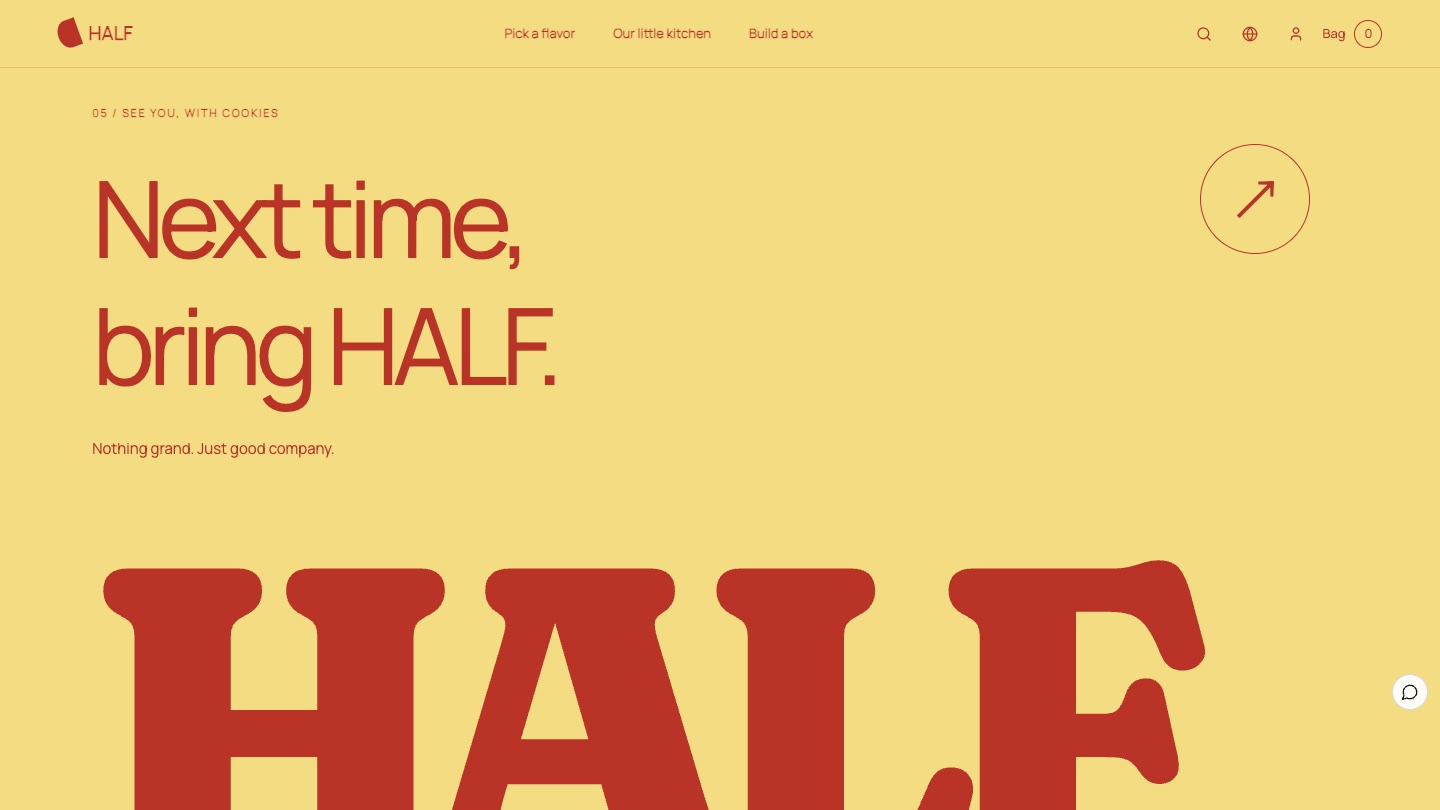
Closing: Next time, bring HALF
Butter yellow and the oversized wordmark close the page, with "Nothing grand. Just good company." carrying the sharing feeling to the end.
The box builder: making choice simple
HALF's range is three mixes in two sizes, six boxes in total. As a product list, visitors would compare six similar cards. The box builder splits the decision into two questions: which mix, and how many cookies? The preview updates after each answer, and only then does the visitor move to the matching product page.
Keep food information where people can see it
Right under the flavours, the page states that the cookies contain wheat, milk, egg and nuts and points to each box for full ingredients, instead of hiding allergens in the footer or a collapsed panel. The Foundax team made the cookie and scene images with image generation tools, so they are not proof of real recipes, ingredients or food certifications. A live site must take ingredients, allergens and shelf life from real product information.
From experience to order
The six boxes are real products in Foundax. The box builder's button opens the matching product page, with prices, stock and sold-out status from product data, followed by the bag, checkout, orders and after-sales. With reduced motion turned on, the split sequence and entrance animations are removed while all content and buy buttons remain, following W3C WCAG 2.2 guidance that motion should be possible to turn off. To learn more, visit Foundax features.
A checklist you can reuse
- Open with a gesture that matches the brand name, such as splitting a cookie.
- Replace abstract gifting with real people so sharing feels concrete.
- Break combinations like "mix × size" into a few simple choices with a live preview.
- Put ingredients and allergens next to the flavours, never out of sight.
- Use two or three clear colours to give a long page rhythm.
- Base food photos and process descriptions on real information.
FAQ
With many combinations, how do I keep product pages from getting messy?
Use a box builder or configurator instead of a long list. Ask about the mix first, then the size, and only then show the product, so each step is one simple decision.
What needs special care on a food website?
Ingredients, allergens, shelf life and storage must be accurate and easy to find. The design can be playful, but this information must never be cut or hidden for the layout.
Is HALF a real brand?
No. HALF is a fictional brand created by the Foundax team. Shopping and orders in the case are a demo. Nothing is charged or shipped.
Can I start my own website from this design?
Yes. On the HALF case page, choose "Start with this template". After signing up, a website is created from this case, ready for your own products and brand content. For design methods across industries, see the brand website design guide.