Bag websites often break the product into unrelated images: a front shot on white, a side shot, a few model photos and a capacity table. Visitors see the bag but cannot picture it in their own life. What fits for the commute? What does it look like on a weekend trip?
This breakdown looks at FOLDWILD from the Foundax case library, a fictional brand of functional bags for city commuting and light weekend outdoors, built around a 24L roll-top backpack. Its approach is to take the same bag from a street corner to a forest trail and on to the coast, with the page moving alongside it.
Why bag websites are hard
- Use has to be imagined. A white-background shot shows the shape, not how it works on a commute or a trip.
- Capacity is abstract. "24L" means little to most people. How many things actually fit?
- Details are scattered. The roll-top, buckle, straps and fabric sit in separate images and never add up to a whole.
- Colours lack context. When the same bag comes in several colours, it is hard to tell which suits you.
So the design goal for FOLDWILD is: help visitors remember the bag's silhouette, then understand how it packs and carries, then choose a colour and head out.
The idea: one product across the whole journey
The first half of the home page is one continuous scene. The same backpack keeps its angle and identity while the background moves from city steps to a forest trail and opens onto the coast, with a line about use at each change. The product moving, the scenes taking over from one another and the packing spread are three clear, felt changes.
The first half builds memory, and the second half returns to normal browsing and shopping. Visitors can also skip the story at any point with "Shop the gear".
Visual language: bright, clean and full of outdoor air
The page is mostly light, so the bag's outline and fabric texture read clearly. Citron yellow marks section backgrounds and key actions, and deep ink blue carries the text and structure. The city uses straight edges, the trail diagonal layers and the coast a wide horizon.
- Chalk white
#F1F2E9Main background, so the bag's outline reads clearly - Deep ink blue
#173D49Text, buttons and structural lines - Citron
#E4EC76Packing section background and key actions - Sea mist
#A6C2BESupporting scene colour - Slate
#52696DSecondary text
| Use | Typeface | Why |
|---|---|---|
| English headings | Barlow Condensed 600–700 | Condensed, large and short, offset against the product so the whole bag stays visible |
| Chinese | A clear, strong system sans | Chinese is set on its own terms rather than copying English line breaks |
Four signature moments
Travel
One bag, three places
The bag keeps one angle while the background moves from street to trail to coast. Foreground and background move at different speeds, and scrolling back returns to each composition.
Spread
What comes with you?
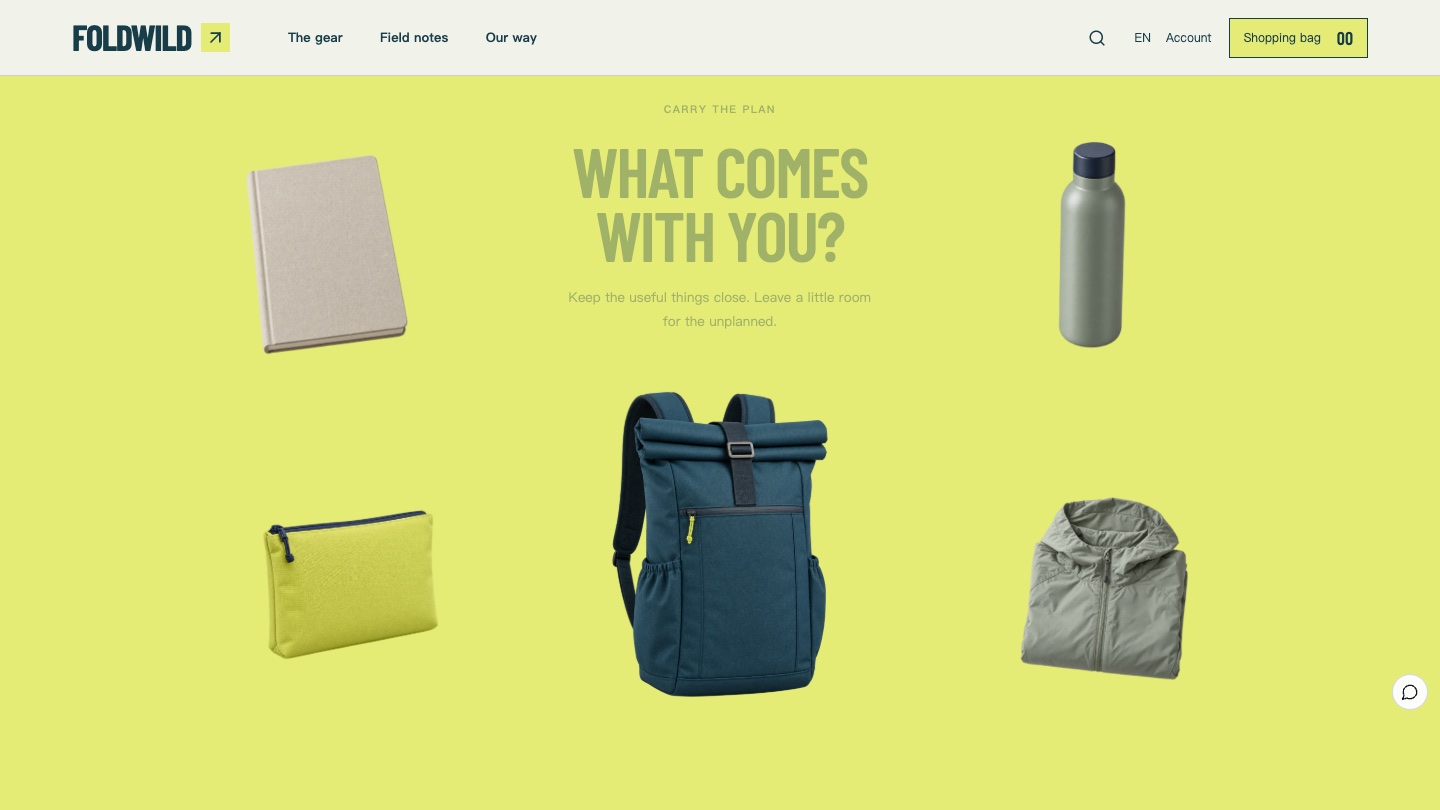
The bag stops in the centre and a notebook, bottle, pouch and light jacket spread out around it, showing what fits.
Switch
Commute or a little further
Visitors switch between packing photos and lists for "The everyday" and "A little further", with links to the product pages.
Look closer
Every side has a reason
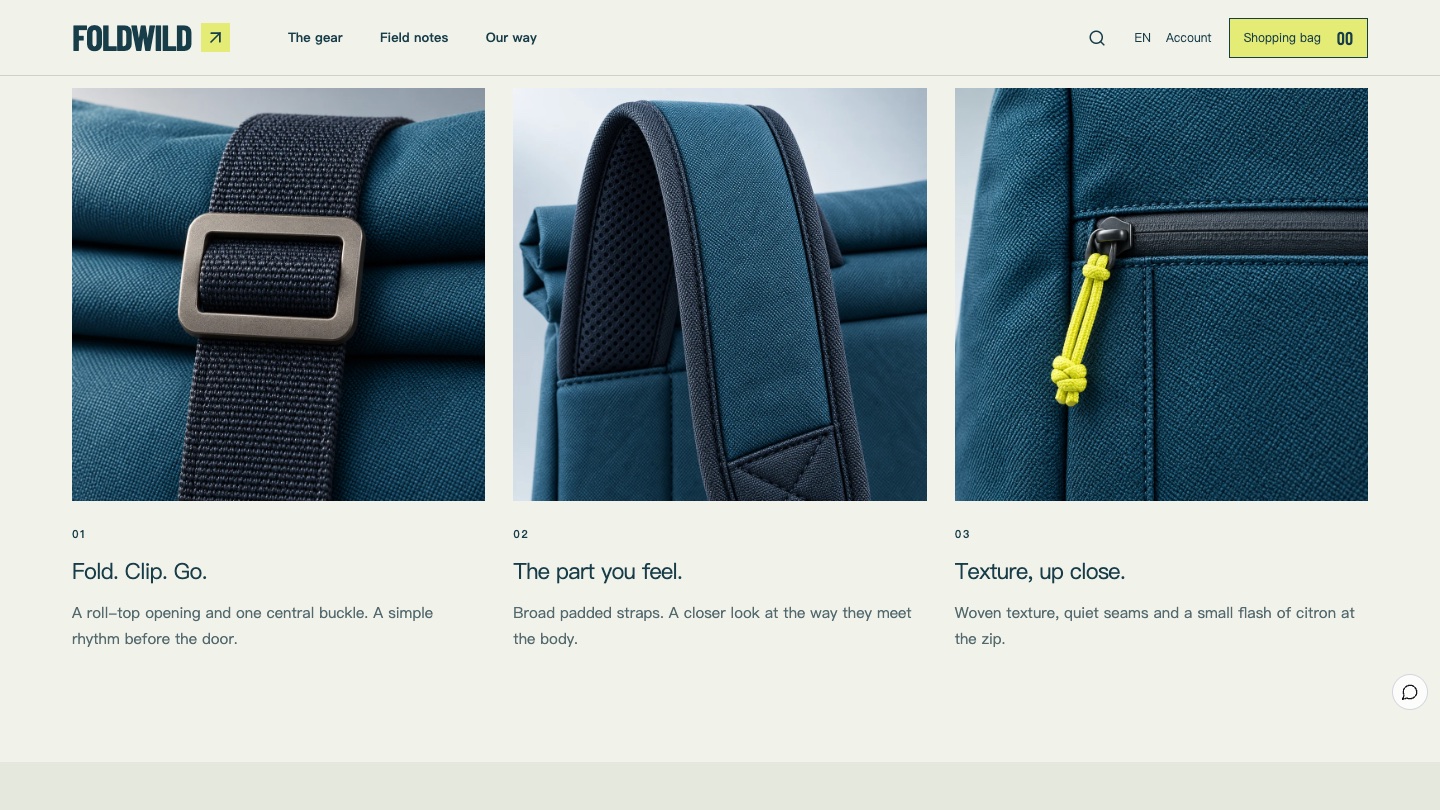
Three close-ups show the roll-top and buckle, the straps and the zip, each explaining one visible detail.
The six-act storyboard
01
Opening: Out of routine
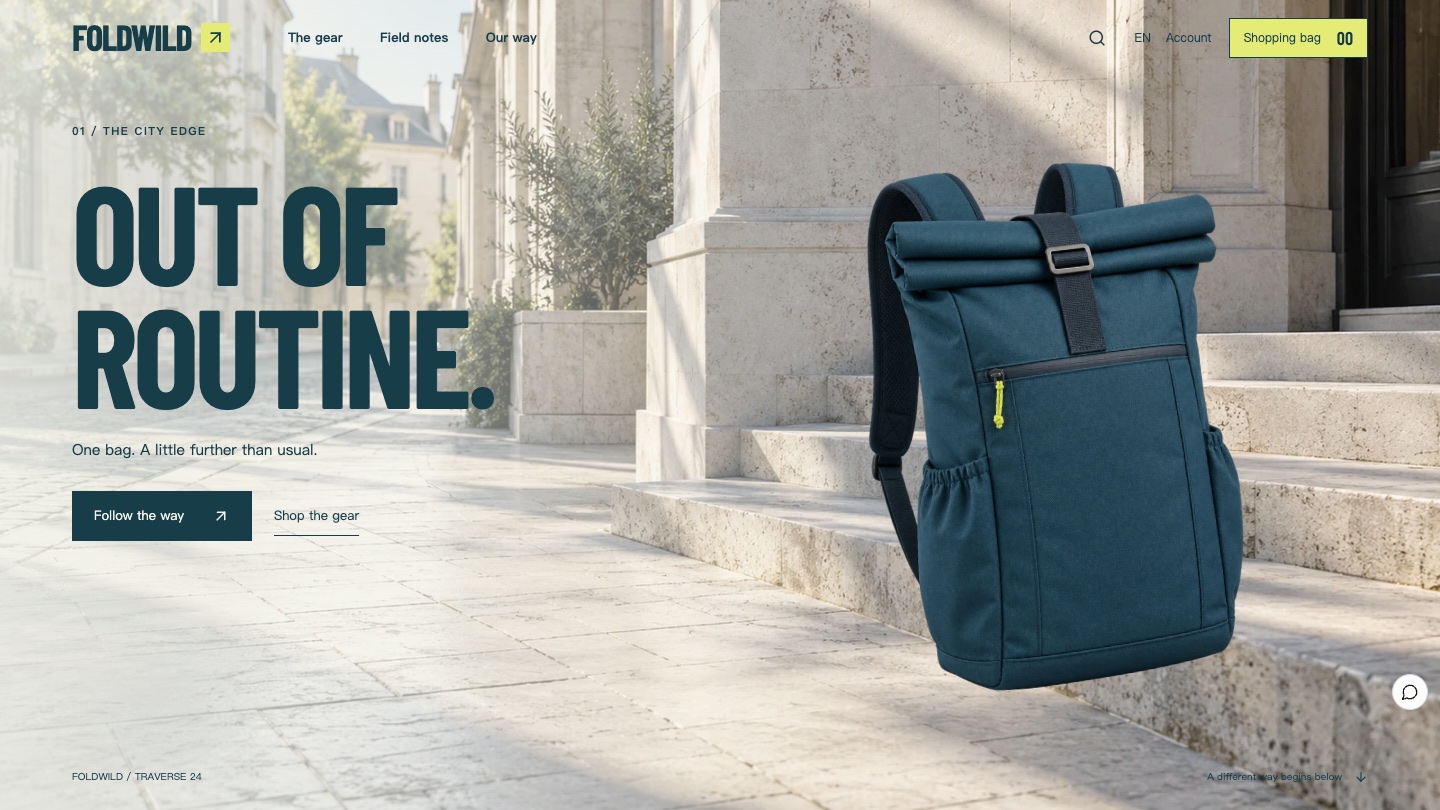
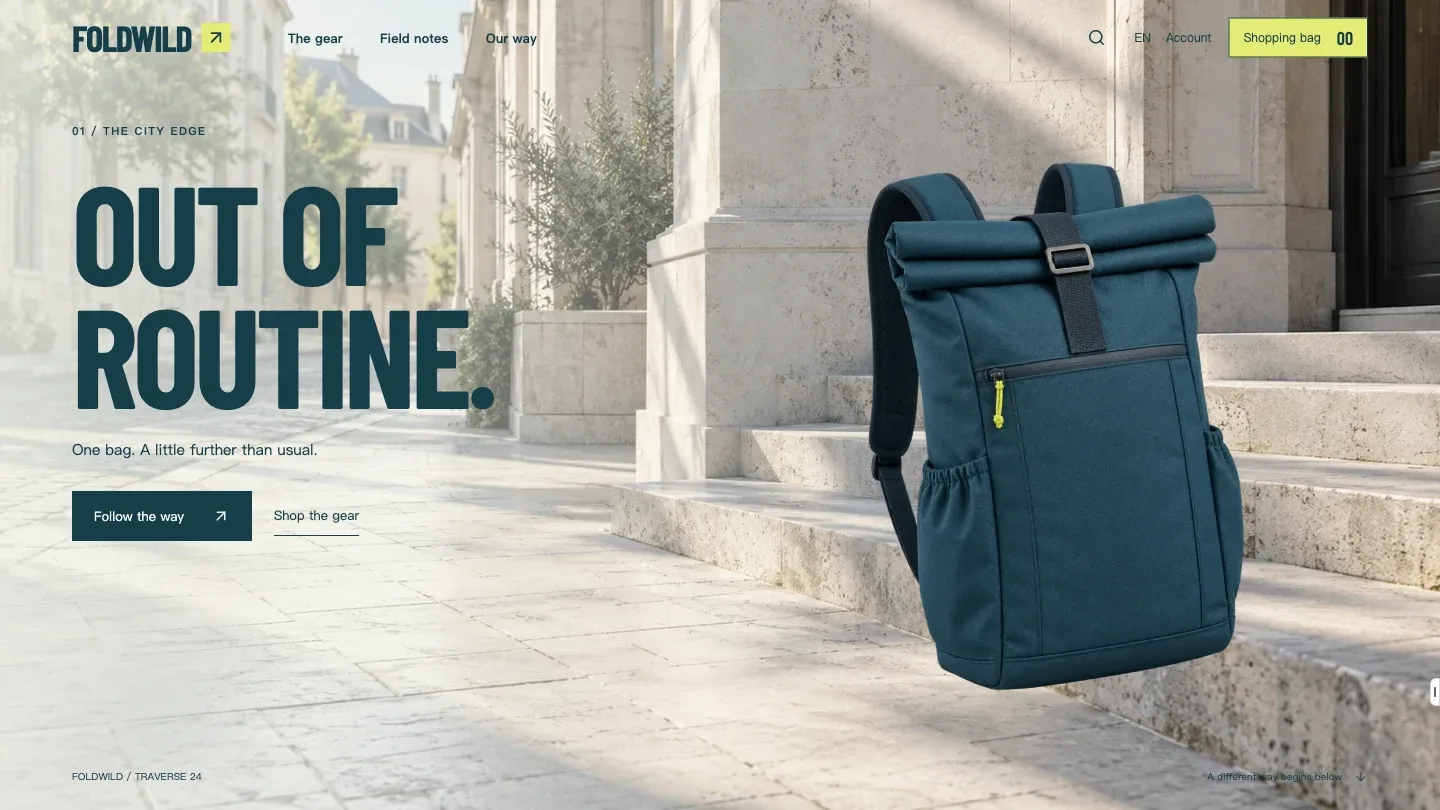
A bay blue backpack stands by city steps on the right, with a large headline and two ways in on the left: "Follow the way" starts the story and "Shop the gear" jumps to the shop.
02
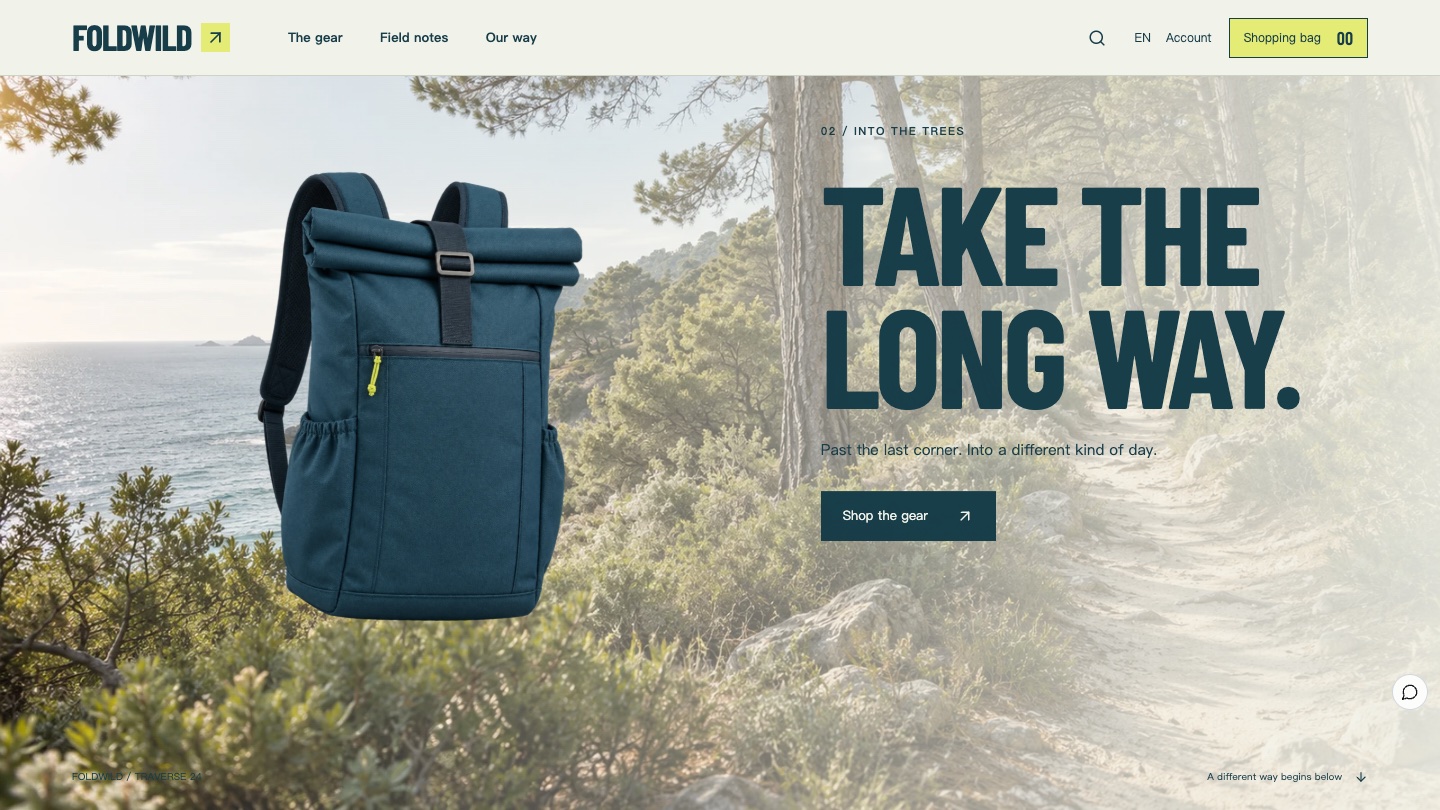
Trail: Take the long way
As visitors scroll, the same bag image stays while the background becomes a forest trail. Continuity makes the silhouette memorable, and the scene explains the use.
03
Packing: What comes with you?
On a citron background, everyday items spread around the bag. The notebook, bottle and jacket double as a ruler, showing how big 24L really is.
04
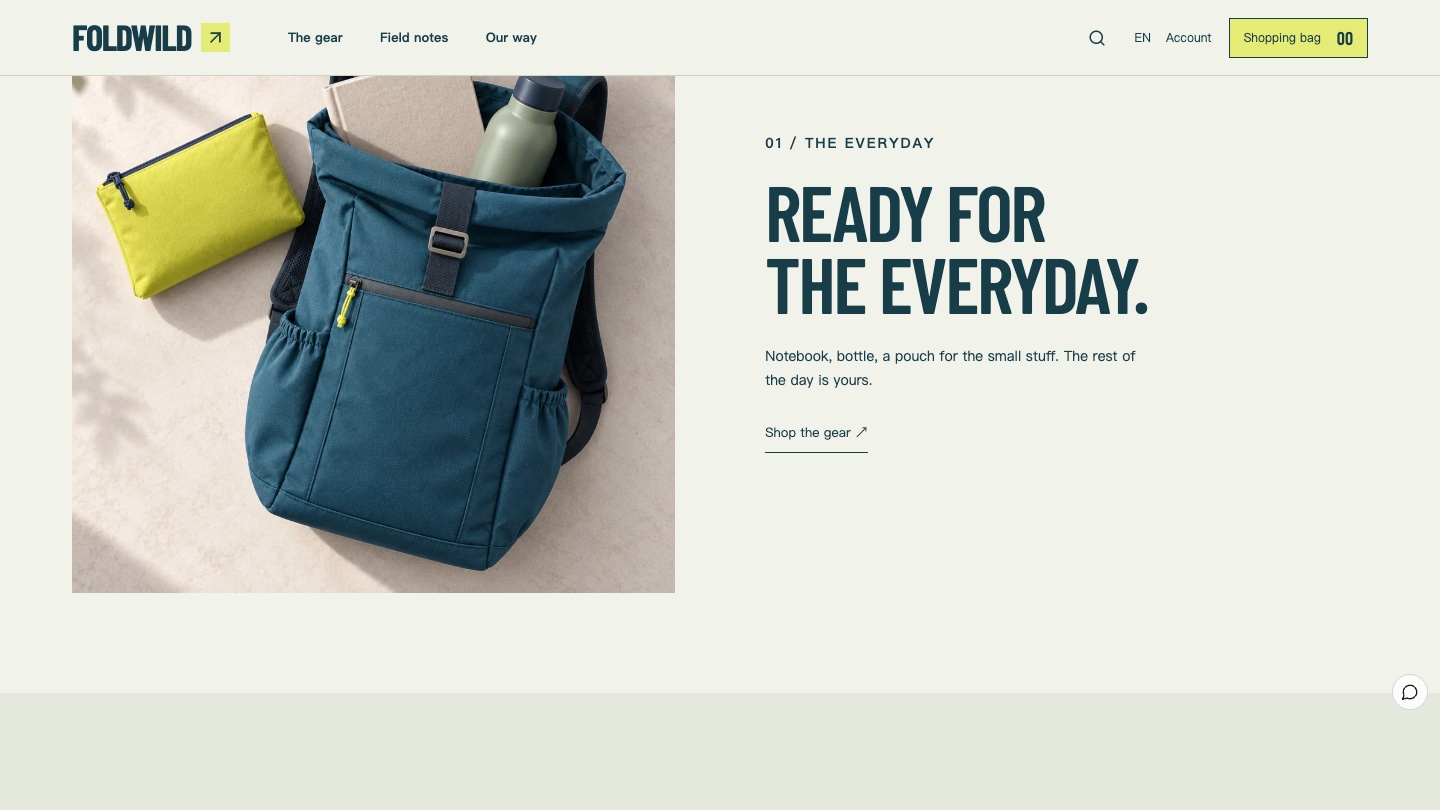
Everyday: Ready for the everyday
A real packing photo shows where things go, with a switch to the trip list. This section shows use, not a capacity calculator.
05
Details: Every side has a reason
Three fabric close-ups cover the roll-top buckle, the straps and the zip. Water resistance or load ratings wait until there is real data to support them.
06
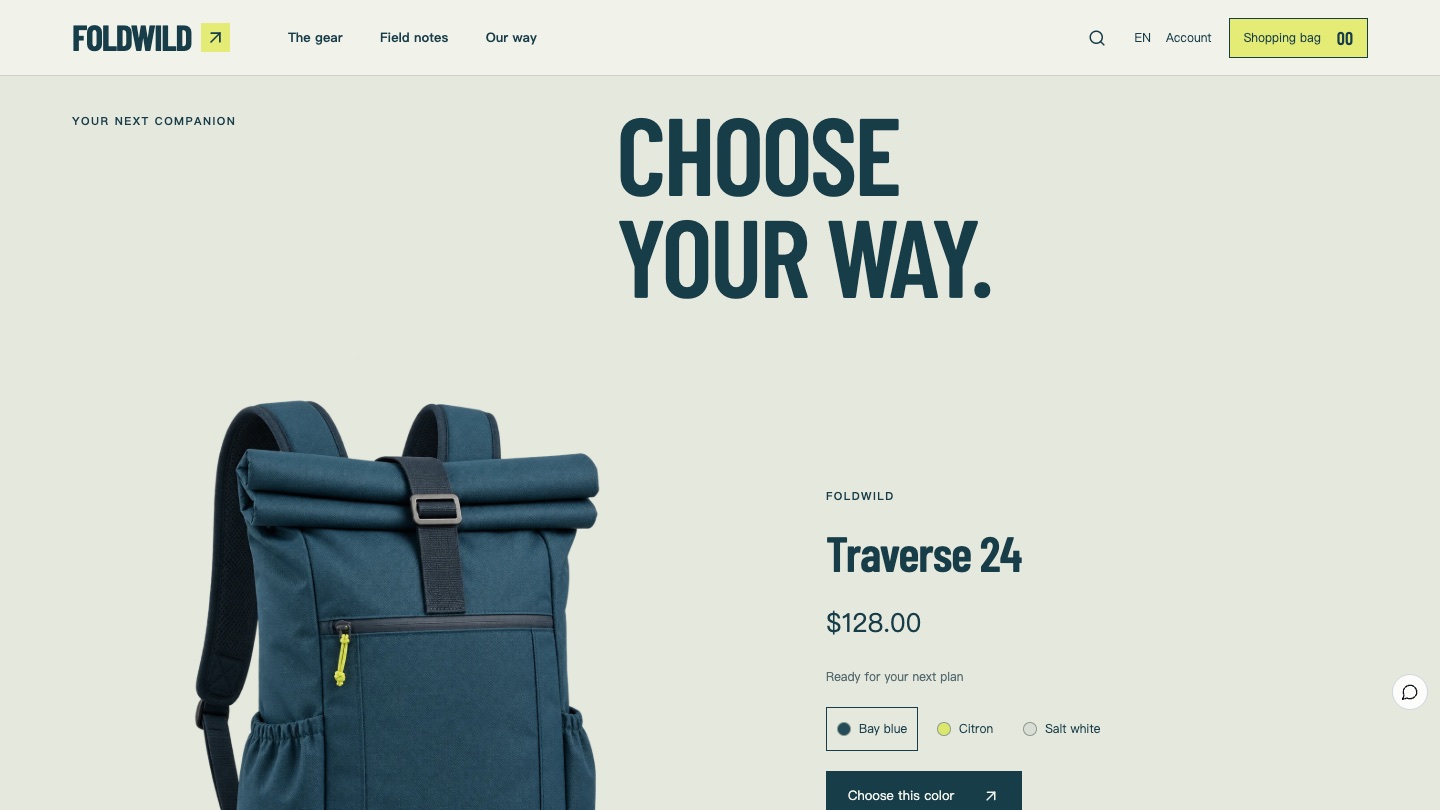
Shop: Choose your way
The main backpack fills the frame next to three colours, the price and a button that opens the product page with that colour selected.
How the product images carry a continuous story
For one bag to travel, its images must keep the same identity: the roll-top, central buckle, front pocket, seams and straps match in every frame. FOLDWILD first locks one master backpack image, then makes every angle, close-up and scene with it as the reference. The light direction in each scene matches the product, so it never looks pasted in. The Foundax team made the case images with image generation tools using this method.
When a merchant swaps in their own product, one clean cut-out image and a few scene photos are enough to keep the same continuous journey.
From experience to order
In Foundax, the three colours are product variants of the backpack, and the shop button opens the product page with that colour selected. The Sidepath 2 crossbody bag and the Pocket Organizer go into the bag as separate accessories, while discounts, checkout, orders, shipping and after-sales use the platform's native features. To learn more, visit Foundax features.
With reduced motion turned on, every scene shows as a complete still image and the buy buttons stay available, following W3C WCAG 2.2 guidance that motion should be possible to turn off. Baymard Institute's research found that 42% of users judge a product's size from its images, which is why the packing section lays out everyday objects.
A checklist you can reuse
- Carry one product image through several scenes so visitors remember the silhouette first.
- Explain use through scenes, with one concrete line for the commute, the trip and the weekend.
- Turn capacity into "what fits", using everyday objects instead of numbers.
- Give each detail shot one job, and leave out specs you cannot support with data.
- However long the story, give visitors a way to jump straight to shopping.
- Carry the chosen colour into the product page so visitors never choose twice.
FAQ
Can I build a continuous scene like this without a photo team?
Yes. You need one clean cut-out of the product with a clear identity and a few scene photos with matching light. Keep the product image the same and change only the background to create the sense of a journey.
Will a long story hurt conversion?
FOLDWILD's long story only covers the first half of the home page. The first screen already offers "Shop the gear", and the second half returns to normal browsing and shopping, so ready buyers can skip ahead at any time.
Is FOLDWILD a real brand?
No. FOLDWILD is a fictional brand created by the Foundax team. Shopping and orders in the case are a demo. Nothing is charged or shipped.
Can I start my own website from this design?
Yes. On the FOLDWILD case page, choose "Start with this template". After signing up, a website is created from this case, ready for your own products and brand content. For design methods across industries, see the brand website design guide.